 GitBrush
Version control made for Blender artists
Save checkpoints, try ideas on branches and go back to any version of your .blend file. No Git commands, no lost work.
Free to join. One email when we open, no spam. Unsubscribe anytime.
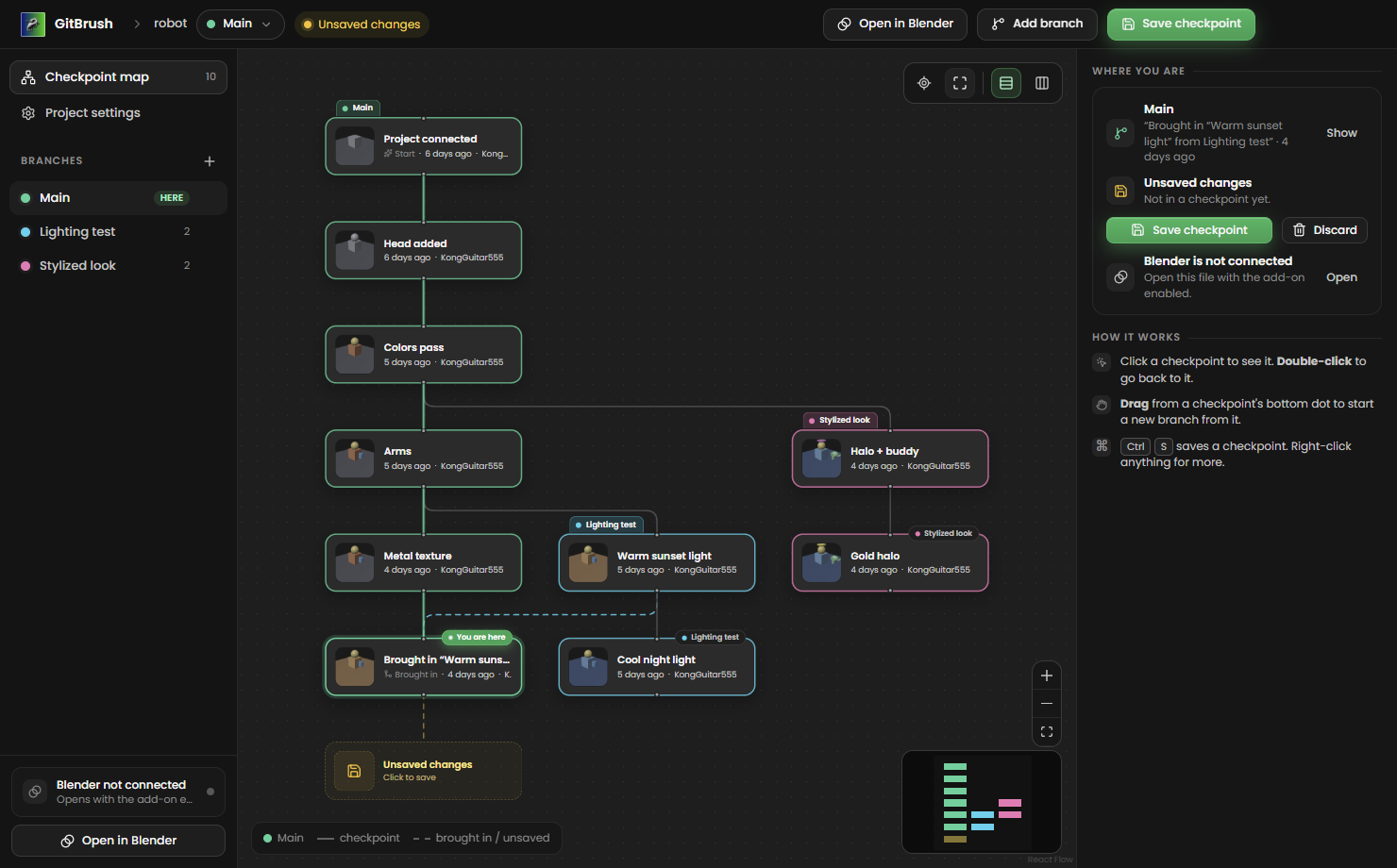
Save versions without leaving Blender
GitBrush keeps every checkpoint of your .blend file, so you can experiment freely and always get back to what worked.
Checkpoints
Save the moment with a preview picture and a note. Go back to any of them with a double-click.
Branches
Try a new look or a risky idea on its own branch. Your main version stays safe.
A map of your work
See every version and branch as a map, in the app and docked right inside Blender.
Notes with screenshots
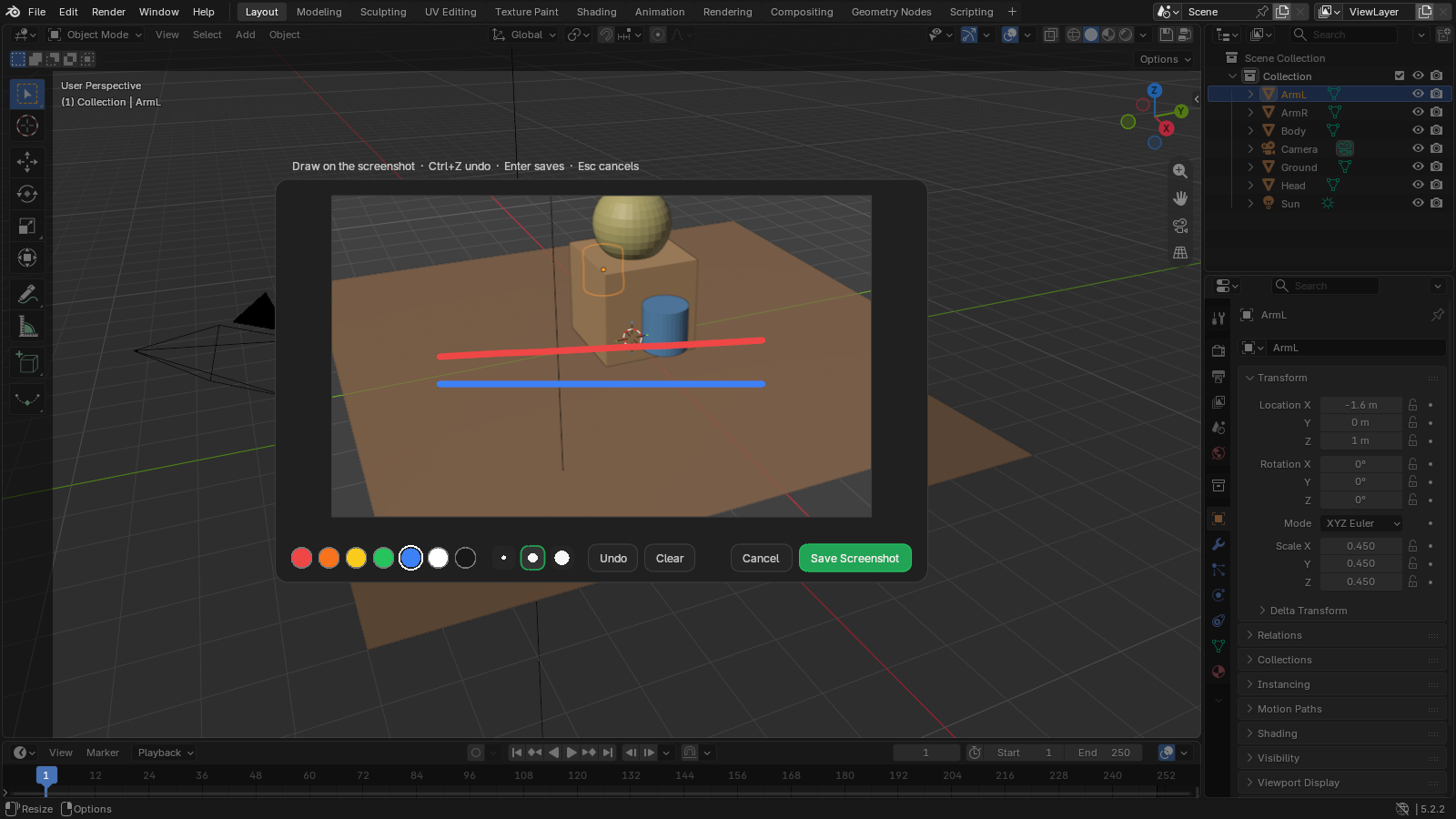
Snip part of the screen, draw on it, and attach it to a checkpoint for your future self.
Nothing gets lost
Discarded work and archived branches are kept in a safety net you can restore from.
Built on Git
Proven Git + Git LFS underneath, with none of the commands. Made for artists, not programmers.
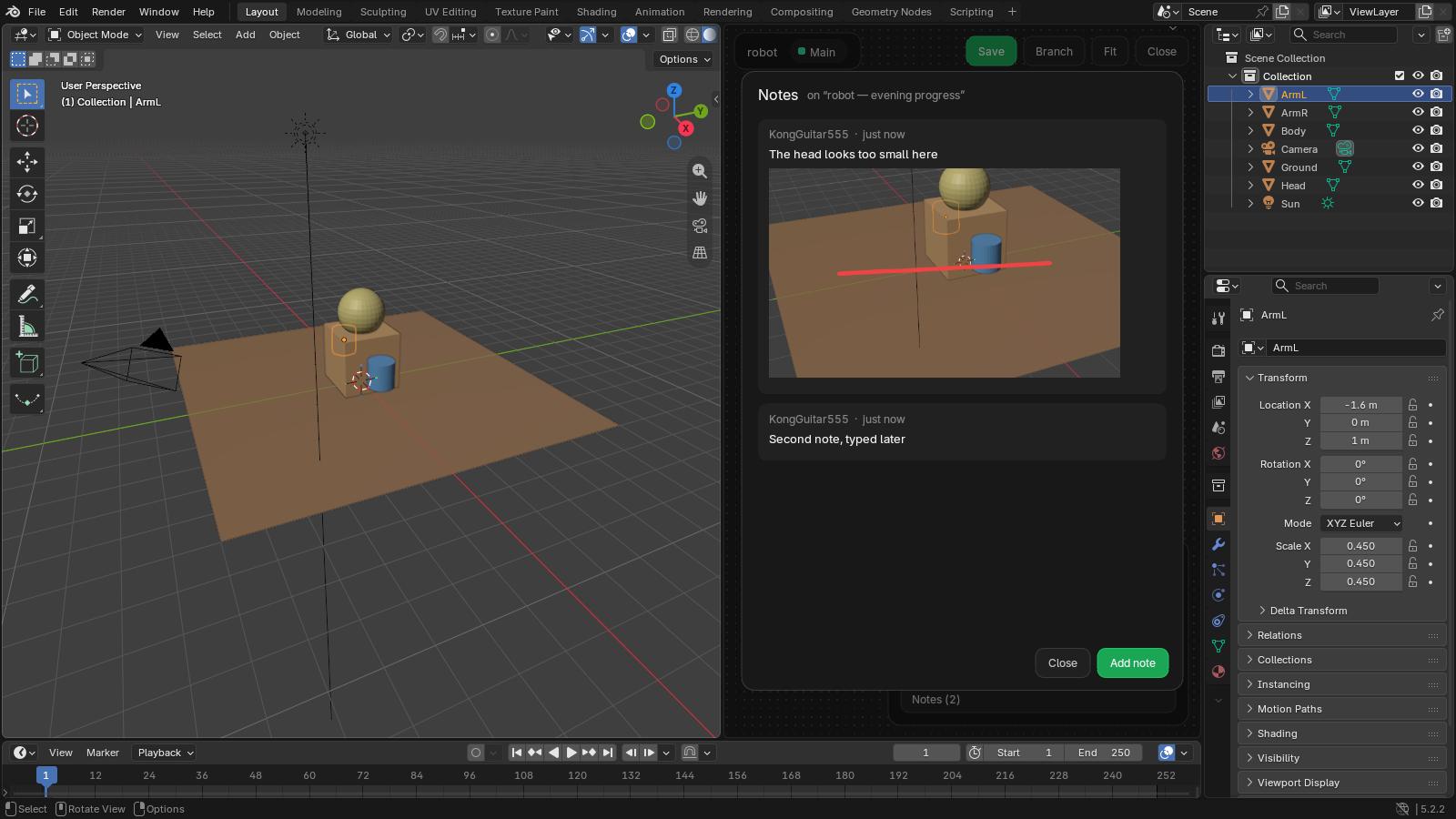
Right inside Blender
The add-on docks the map next to your viewport. Save a checkpoint with Ctrl+Alt+S, switch branches, and Blender reloads the file for you.
Notes your future self will thank you for
Take a screenshot, circle the problem, write what you changed. Every checkpoint keeps its notes.
Be the first to try it
Join the waitlist and we’ll let you know the moment GitBrush is ready.
Free to join. One email when we open, no spam. Unsubscribe anytime.